 Hypesoul
Features
Everything the app does, part by part.
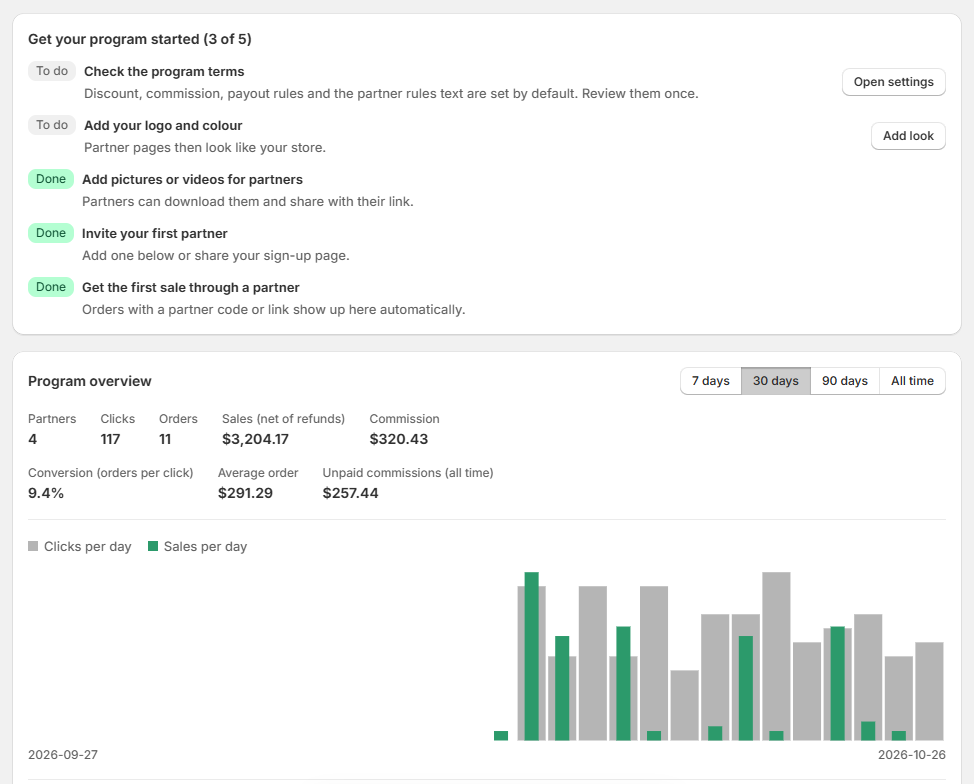
A clear dashboard
See sales, commissions and partner activity at a glance, with a launch checklist for your first steps.
- Chart of partner sales
- Program summary and quick actions
- Checklist that guides the setup
Partners and approval
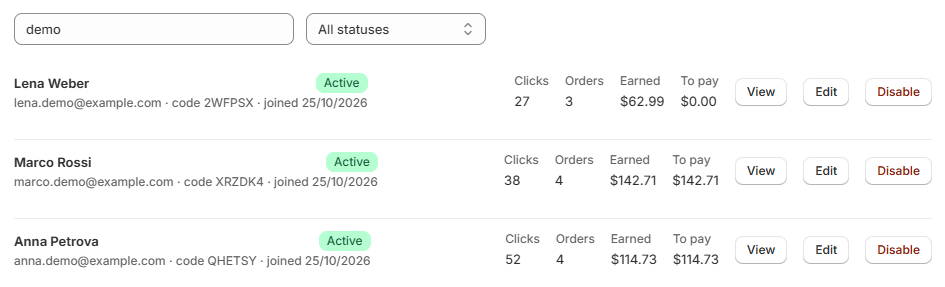
Partners sign up on your page. You approve them or let everyone in, set a custom commission per partner and disable anyone at any time.
- Sign-up page for partners
- Optional manual approval
- Per-partner commission
Real Shopify discount codes
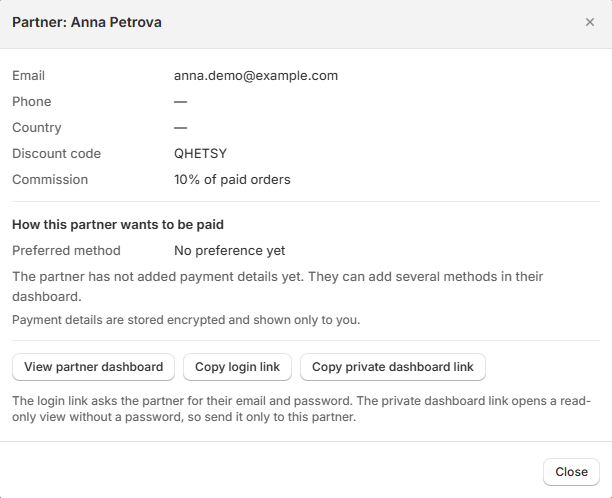
Each partner gets a native discount code with the minimum order and expiry you choose, plus personal links and a QR code.
- Native Shopify codes
- Named links per channel or product
- QR code to download
Orders and commission
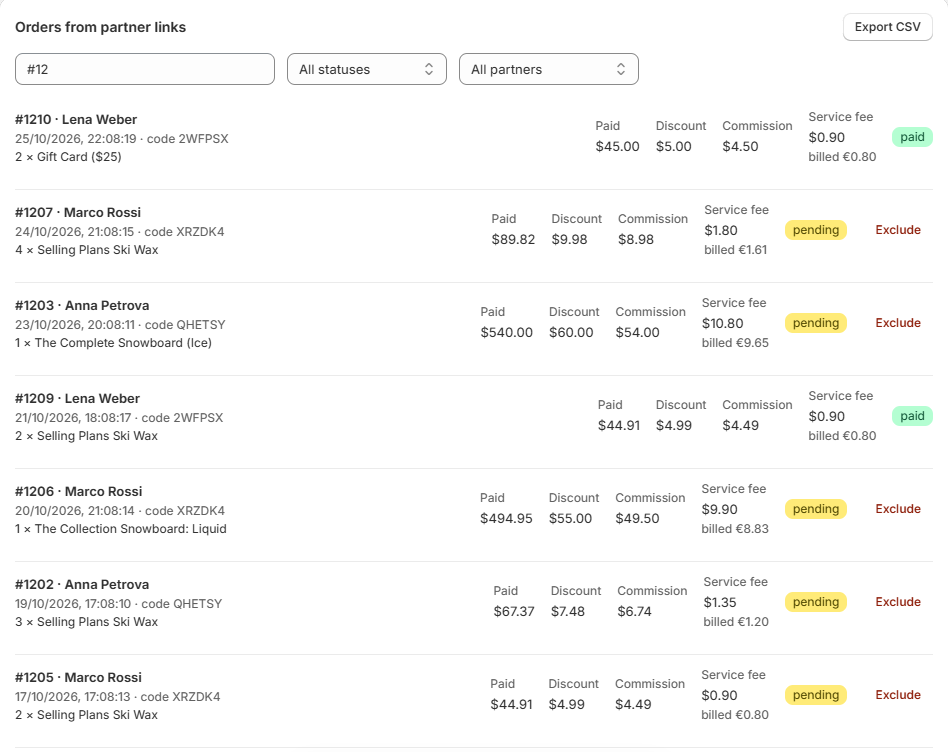
Every order paid with a partner's code is recorded with the products, the commission and its status. Refunds are deducted automatically.
- Order lines with products
- Waiting period for returns
- Automatic refund handling
Payouts your way
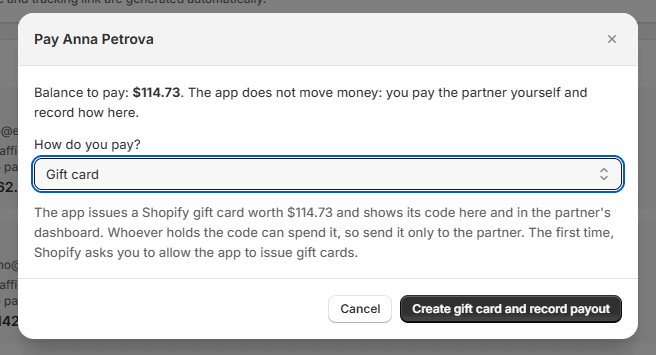
Pay partners from your own accounts with the method that suits you and record it. The app can also create a one-time discount code or a gift card in your store as the payout. Partners can ask for a payout from their dashboard.
- Eighteen payout methods
- Minimum payout and waiting period
- One-time discount codes and gift cards created in your store
- Payout request notices
Reports and statements
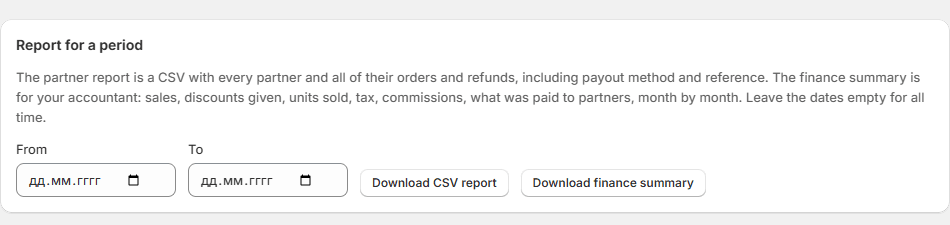
A partner report and a finance summary for your accountant, both as CSV, and a statement for each payout.
- Finance summary
- Statement for each payout
- Monthly summary email to partners
Materials for partners
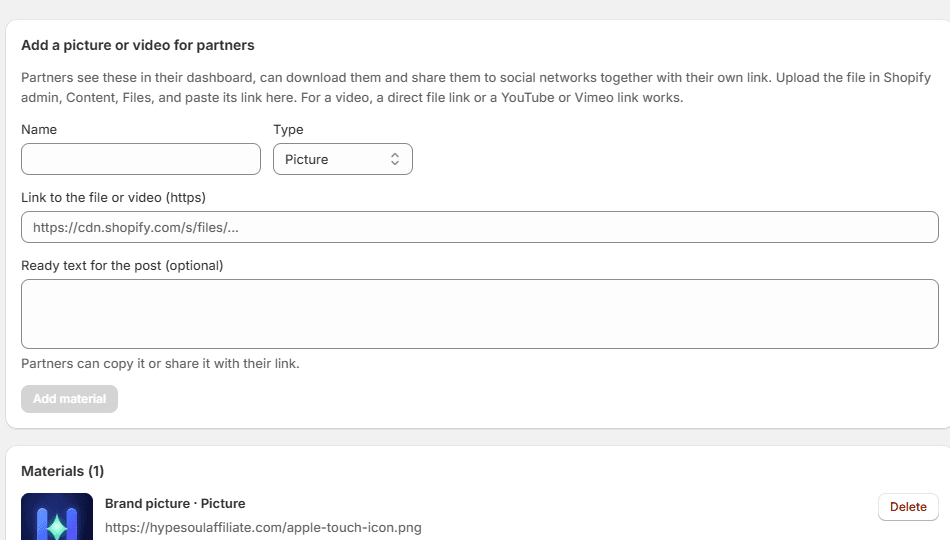
Upload pictures, videos and ready texts. Partners copy them and share to social networks in one tap.
- Pictures, videos and texts
- Share buttons for popular networks
- Texts that carry the partner's own link
A cabinet for every partner
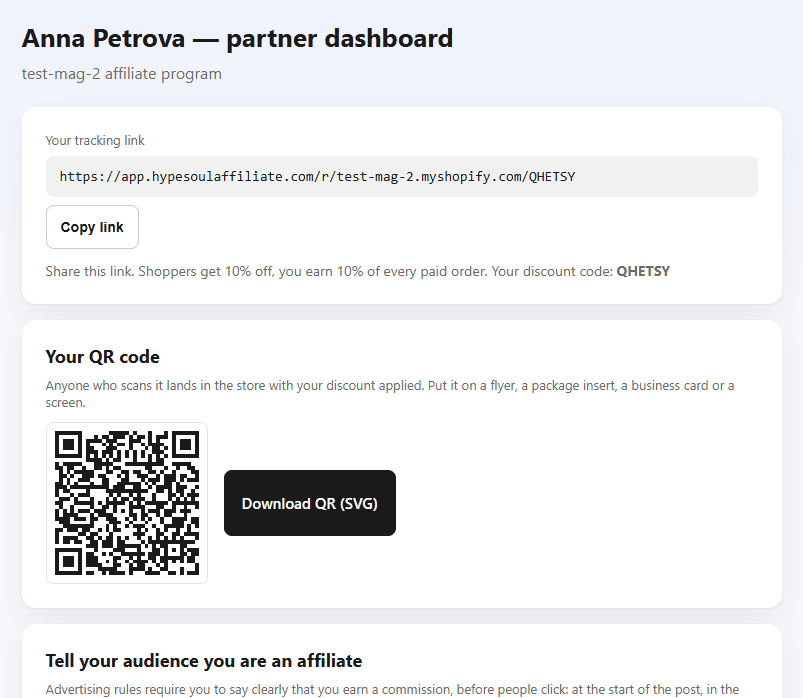
Partners see clicks, orders and earnings in every program with one account, find stores to promote, change their details through a confirmation link and ask for payouts.
- One account for all stores
- Browse the partner catalog and apply
- Search products and copy a link with the code
- Copy link and QR
- Profile changes confirmed by email
Emails that do the talking
Partners get sale, payout and monthly summary emails; you get a welcome email and notices about new applications and payout requests, in clean branded templates.
- New sale notices to partners
- Payout recorded notices
- New application and payout request notices to you
- Monthly summary